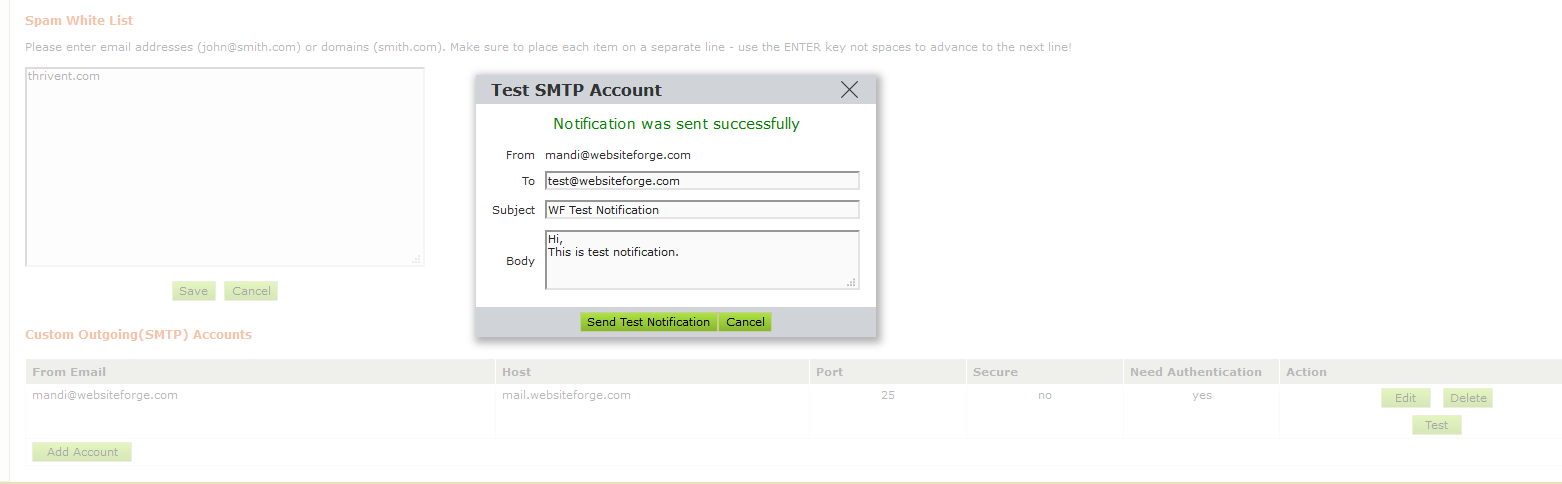
You can add your 3rd party SMTP settings into the "Email and Spam Whitelist" area. Most people do this when they use another mail provider for their email and they want system messages such as invoices that automatically send from the system when an order is made, or your Blogs sending email address needs to correlate to your mail provider hosted elsewhere.
Common issues you might hear if you have not set these settings up, and your are using a 3rd party mail host issues with messages going into your client's inbox. "sender email could not be verified" this is the most common error your clients will see when you send an automated message from the system such as an abandoned cart notice, order notice, blog announcement, new products notice etc...
|
To fix this issue you need to add in your SMTP settings from your 3rd party mail host (such as godaddy, networksolutions, etc...)
To add in your SMTP Settings browse on the left hand side of your WebsiteForge Members Area to "Dash Board", and then locate "Email and Spam Whitelist".
|
Once there you will see screen that looks like this:
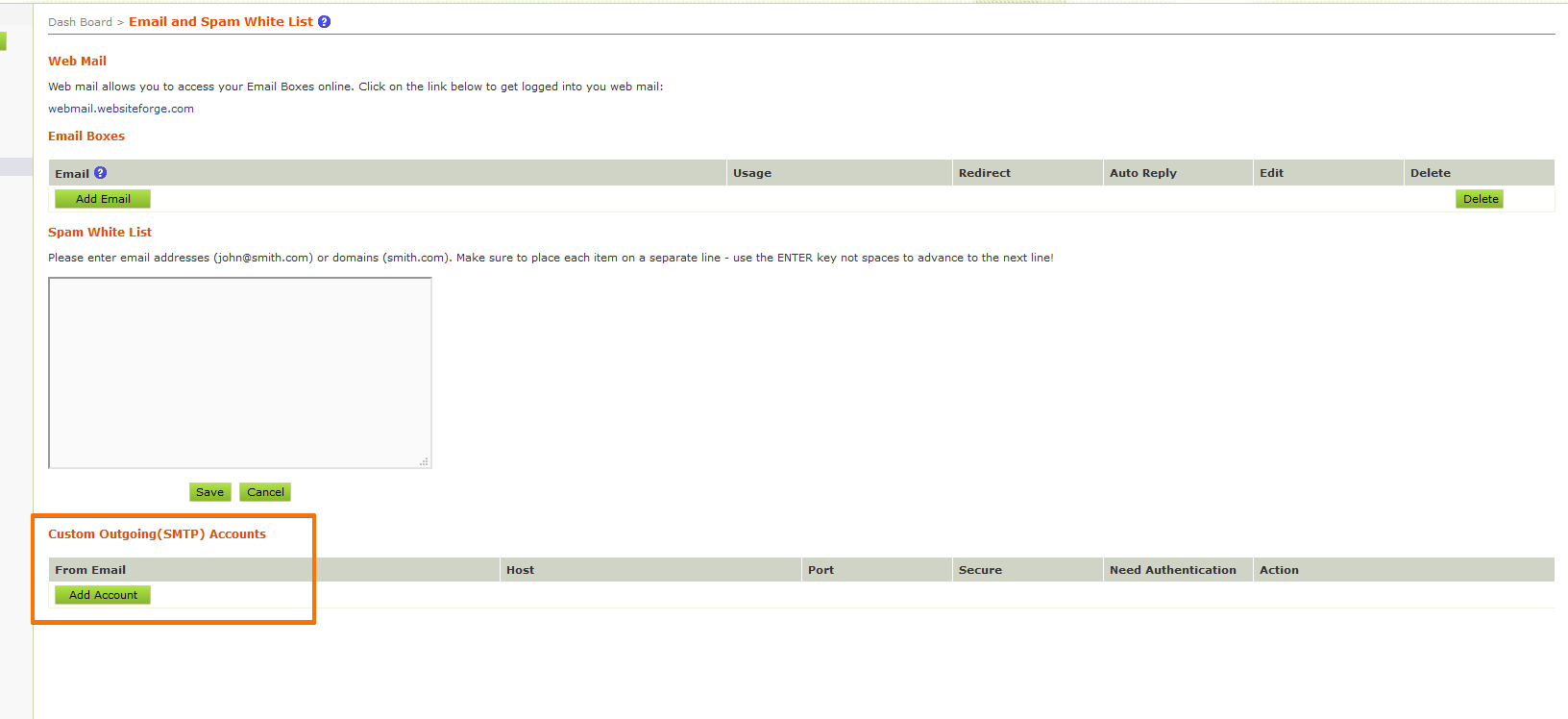
Click "Add Account" and you will get a pop up to enter in your SMTP Settings. Be sure to collect all of the settings from your current mail host.
The pop up screen will look like this:
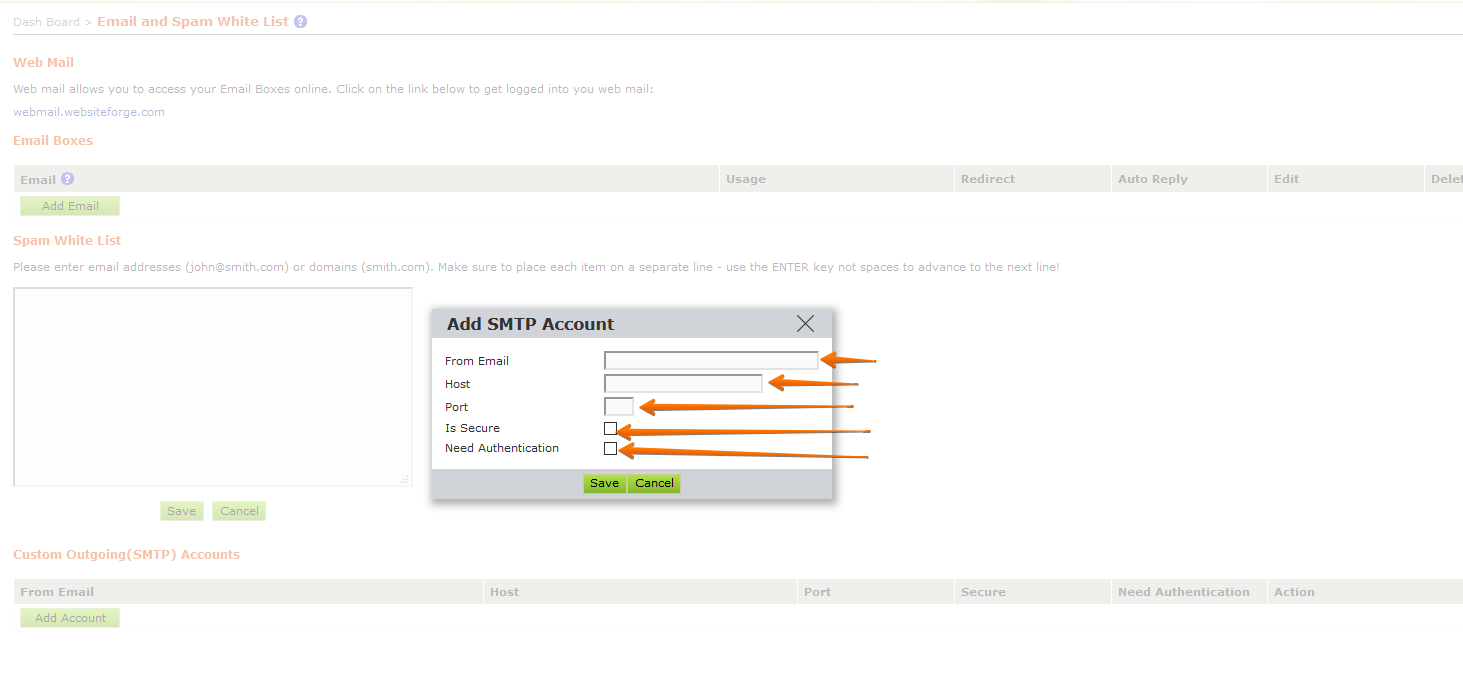
Once you populate the info with your email hosts info click "save" then "test". You can send a test to any email account you like, and alter the content of the test mail. Then click "Send Test Notification"
The Testing pop up will look like this: