There is an area designed just for this. It is located here for the E-Commerce Module:
YourDomain.com > Modules > Ecommerce: Products (mX) > Downloadable products

You will need to then choose the folder in which you have placed the downloadable content.

Then choose the duration for which you want the link to be valid for so that the file can be downloaded.
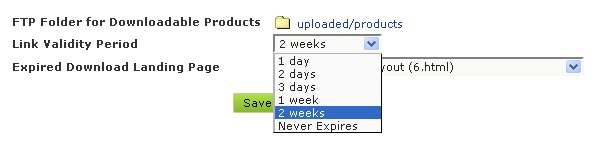
And the last option that you will need to select is which page will the users be guided to once the link has expired. This can be any page on the site or you can create one specifically for this.

For more information feel free to visit Tech Support.


